
for Confluence
Props to Labels Guide
for Confluence
Configure Props to Labels, choose which fields are allowed, and convert Confluence Content Properties into page labels.
Setup
- Go to Props to Labels on Atlassian Marketplace.
- Click Get it now and follow the instructions.
First-time setup
🙏 Before using the macro for the first time, configure both admin areas below: Confluence Admin Settings to enable the app for spaces, and Space Settings to choose the fields that should become labels.
How to use it
Using Props to Labels on Confluence pages:
- Edit a page.
- Insert the Content Properties macro, or edit an existing one on the page. See What are Content Properties?
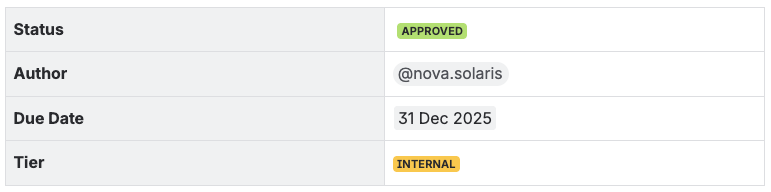
- Update the value of any supported field in the Content Properties table.
- The default
statusfield is supported out of the box. - Supported fields can be added or configured in Confluence Global Admin settings.
- Save the page.
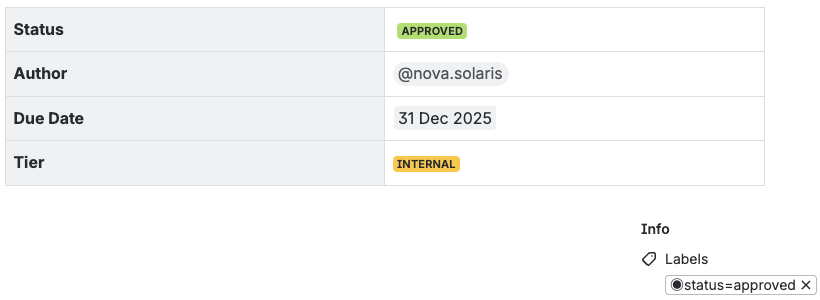
👉 Allowed fields from the Content Properties table are converted to page labels.
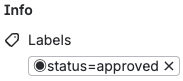
Labels are converted to lowercase, prefixed with ◉, and spaces are replaced with underscores: _.
For example, a Status field with the value APPROVED becomes ◉status=approved.
ℹ️ Allowed fields are configured in Confluence Admin Settings.
FAQ
What happens to any existing page labels?
Any existing labels remain.
Any previous automated labels matching the same field are replaced.
For example, if the previous Status field had the value TODO, with a related page label ◉status=todo, and the value is then changed to IN PROGRESS, the label is replaced with ◉status=in_progress.
Admin - Confluence Settings
There are two separate admin settings, and both need to be configured.
1. Global Confluence Administration - enable app for spaces
- Go to your Confluence Admin Settings.
- You need Confluence Admin permissions, or ask someone who has them for help.
- The URL looks like
https://{your-site.atlassian.net}/wiki/admin/ - On the sidebar panel, navigate to Apps → 🏷️ Props to Labels.
- Check the checkbox next to the spaces where you want this app enabled.
NOTE: You can enable this free app for up to three spaces.
2. Space Settings - keywords
- Go to your Space Settings.
- You need Space Admin permissions, or ask someone who has them for help.
- The URL looks like
https://{your-site.atlassian.net}/wiki/spaces/~space/settings/ - On the sidebar panel, navigate to Integrations → 🏷️ Props to Labels.
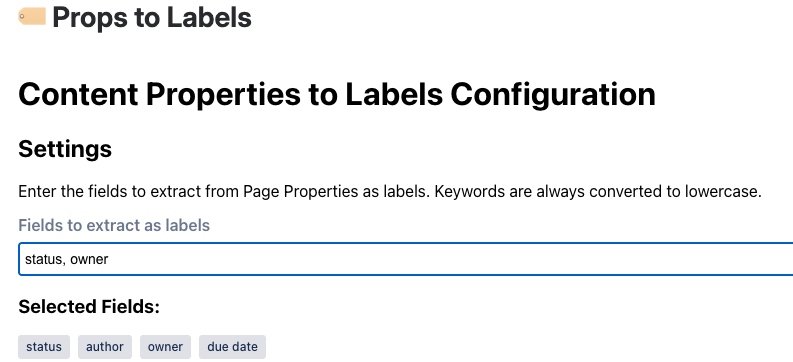
- Configure the supported fields, for example
status, as a comma-separated list.
The changes are auto-saved.
Space Admin Settings - Selected Fields
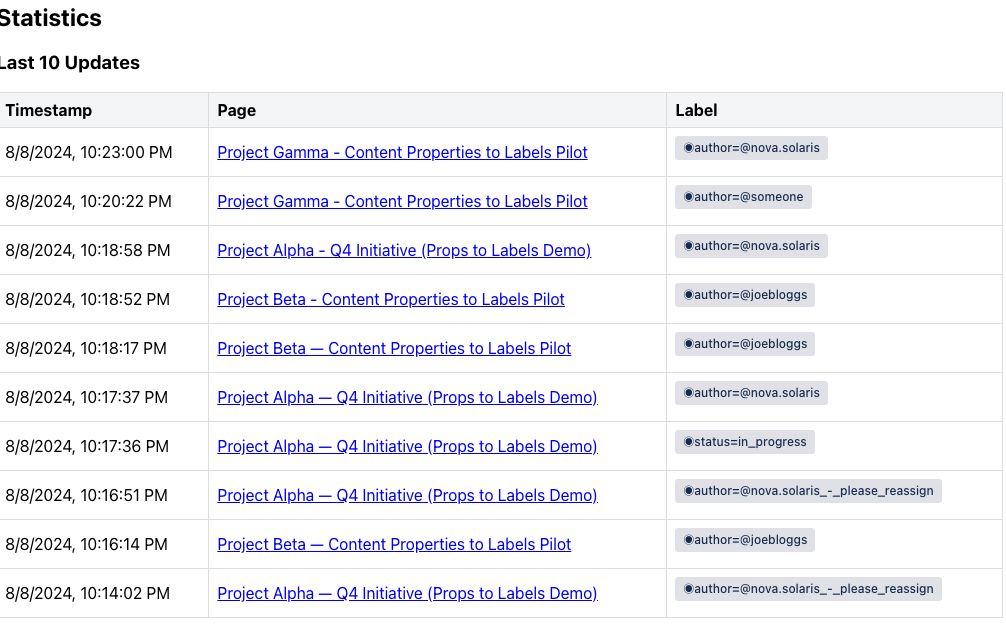
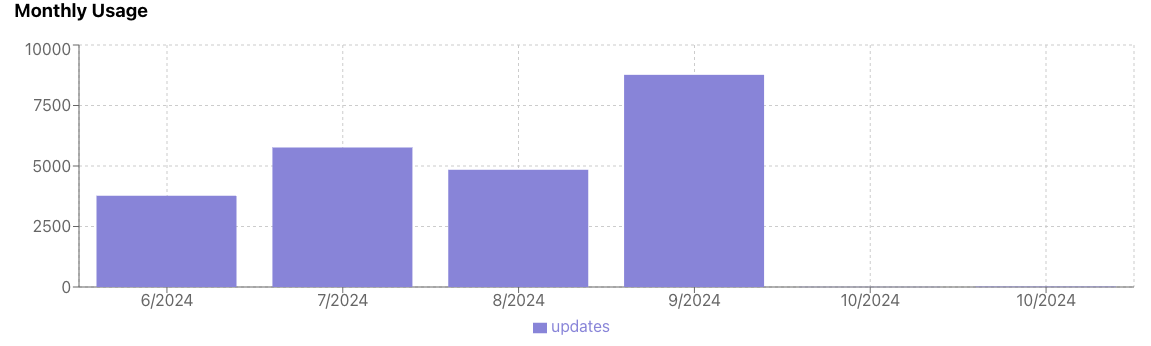
Space Admin Section - Last Updates and Monthly Usage
Space admins can review recent label updates and monthly usage in the app settings.
Questions?
Contact us to get more information about the project.