Smart User Profile for Confluence
Compact, configurable user profile cards for Confluence Cloud pages.
Better User Profiles for Better Confluence Layouts.
Stop letting bulky default macros dictate your page design.
Smart User Profile gives you a compact, fully customizable macro designed to fit anywhere.
Key Features
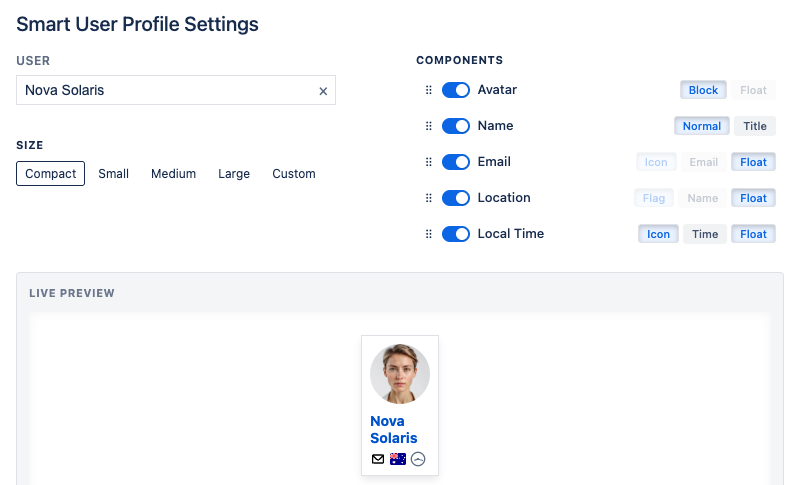
Reclaim screen real estate: Use a streamlined profile layout instead of bulky default profile macros.
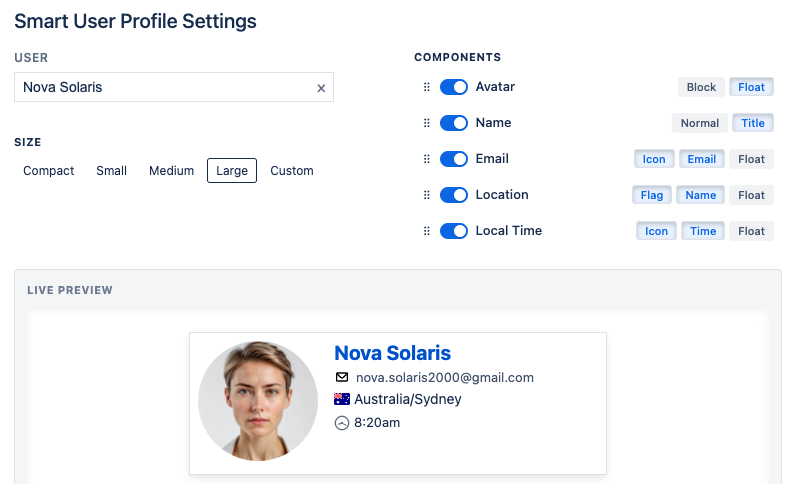
Configurable profile details: Toggle specific profile components on or off.
One-click copy email: Copy email addresses faster from the profile macro.
Real-time local clock: Show a local time display that updates automatically.
Multiple display modes: Choose different information density for different page layouts.
Setup
- Go to Smart User Profile on Atlassian Marketplace
- Click on the Try it free button and follow the instructions.
How to use it
- Edit a page and insert a macro "Smart User Profile".
- The macro config popup will open automatically.
- Enter the user name into the User field.
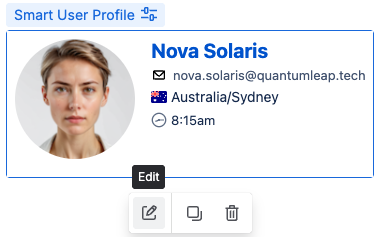
You can always open the macro config popup by clicking on the Smart User Profile macro on the page, then on the Edit button.
- Click on the Email Icon or the Email (if either is visible) to quickly copy the email address to your clipboard.
- The Local Time display updates every minute when enabled.
Configuration
The macro supports multiple layouts and configuration options: